
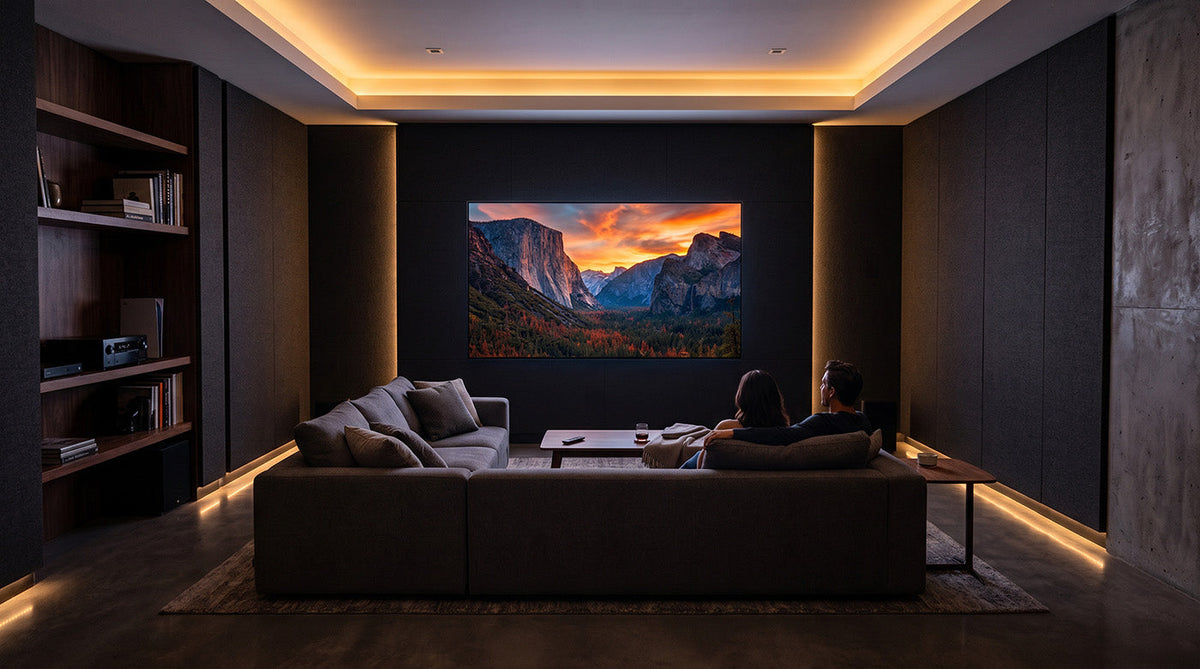
Most TV size recommendations tell you to "measure your room," then leave you guessing at the actual number. This guide solves that by walking you through the SMPTE and THX viewing angle standards used to size commercial and home theater screens, converting your seating distance directly into a specific diagonal size instead of a rough estimate. Follow the four steps below and you will land on a screen size backed by an industry standard, not a hunch, whether you are furnishing a dedicated theater room, a multipurpose living room, or a large-format setup like AWALL's InfoComm 2025 and CEDIA 2025 Best of Show-recognized C-Series. You will need a tape measure or laser distance tool and a decided seating position before you start.
At a Glance
| Step Number | Phase Name | Key Action | Estimated Time/Complexity |
|---|---|---|---|
| 1 | Measure | Measure seating distance to the screen wall | 5 minutes, low complexity |
| 2 | Decide | Choose a target viewing angle for your room's purpose | 5 to 10 minutes, low complexity |
| 3 | Calculate | Convert distance and angle into a screen size | 5 minutes, low complexity |
| 4 | Verify | Check the size against the pixel pitch minimum distance | 5 minutes, low complexity |
This methodology works because it separates a physical measurement (Step 1) from a preference decision (Step 2) before doing any math. Most sizing mistakes happen when people skip straight to a number without first deciding how immersive they want the room to feel, so this order prevents that shortcut.
Step 1: Measure Your Seating Distance
Measure the distance from your primary seat to the wall where the screen will sit.
- Use a tape measure or laser distance tool, not a visual estimate.
- Measure to the intended screen wall, not to a temporary furniture position.
- If you have multiple rows of seating, measure each row separately.
Common pitfall: measuring before furniture placement is finalized. If the couch or theater seating might move, confirm the final position first, since a few feet of difference changes the recommended size meaningfully.
Step 2: Choose Your Target Viewing Angle
Decide how immersive you want the room to feel, then match that to a standard.
- SMPTE minimum (30 degrees): a more television-like, flexible viewing experience, suited to a multipurpose room.1
- THX recommended (36 degrees): the standard cinema certification body's baseline for an immersive main-row seat.2
- THX immersive (40 degrees): the closest comfortable seating position before the screen starts to dominate peripheral vision.2
Common pitfall: defaulting to the most immersive angle without weighing the tradeoff. Sitting closer shows more flaws in lower-resolution content and requires a finer pixel pitch on large-format displays, covered in Step 4.
Step 3: Convert Distance and Angle Into Screen Size
Apply the distance multiplier for your chosen angle to find the diagonal size that fits.
| Standard | Angle | Distance Multiplier (x diagonal) |
|---|---|---|
| SMPTE minimum | 30 degrees | 1.63x1 |
| THX recommended | 36 degrees | 1.34x2 |
| THX immersive | 40 degrees | 1.2x2 |
Divide your Step 1 distance by the multiplier for your chosen angle to get the target diagonal size. Or use the reference chart below, built for AWALL's preconfigured C-Series sizes.
Table 1: Screen Size to Viewing Distance Reference
| Screen Size | SMPTE Minimum (30°) | THX Recommended (36°) | THX Immersive (40°) |
|---|---|---|---|
| 75" | 10.2 ft | 8.4 ft | 7.5 ft |
| 81" | 11.0 ft | 9.0 ft | 8.1 ft |
| 102" | 13.9 ft | 11.4 ft | 10.2 ft |
| 108" | 14.7 ft | 12.1 ft | 10.8 ft |
| 129" | 17.5 ft | 14.4 ft | 12.9 ft |
| 135" | 18.3 ft | 15.1 ft | 13.5 ft |
| 162" | 22.0 ft | 18.1 ft | 16.2 ft |
Figures above assume a 16:9 screen. At the same diagonal, a 21:9 screen fills more horizontal field of view, so its ideal seating distance runs shorter than the figures above. Confirm aspect ratio before finalizing a distance target.
Common pitfall: applying a 16:9 multiplier to a 21:9 screen, or the reverse, without adjusting. The multiplier changes with aspect ratio.
Step 4: Check the Pixel-Pitch Minimum Distance
Confirm your candidate size clears the minimum viewing distance for its pixel pitch, using the rule of roughly one meter of distance per millimeter of pitch.3
Table 2: Pixel Pitch Minimum Viewing Distance
| Pixel Pitch | Minimum Distance (~1mm pitch ≈ 1m)3 | Closest Table 1 Distance in AWALL's Range |
|---|---|---|
| 1.2mm | ~3.9 ft | 7.5 ft (75", THX immersive) |
| 0.9mm | ~3.0 ft | 7.5 ft (75", THX immersive) |
At every size and angle in Table 1, the recommended seating distance already clears the pixel-pitch minimum for either C-Series pitch option. In this size range, the viewing-angle standard determines correct seating placement, not pixel pitch. Pixel pitch matters more as a check against sitting unusually close than as a limiting factor for typical living room or theater seating.
Common pitfall: sizing for viewing angle alone and skipping this check, especially relevant if you are sitting closer than typical for the room type.
Why Pixel Pitch Changes the Math for Large-Format Displays
Most general TV buying guides skip pixel pitch because it only becomes relevant once screens grow past standard living room sizes. As shown in Step 4, it is a secondary check, not the deciding factor, for AWALL's size range. It becomes more important on larger commercial-scale walls or unusually close seating, where the viewing angle standard alone would place seating closer than the pixel pitch can support cleanly.
Mounting Height
Once you have a size and distance, mounting height determines whether the room stays comfortable over long viewing sessions.
- Align the screen center with your seated eye level, not a fixed height on the wall.
- For a reclined seating position, aim the center at the top or middle third of the screen rather than dead center, since a reclined eye line sits lower.
- Recheck this after choosing your final seat, since reclining depth changes eye position.
Matching Your Size Decision to Room Type
Your room's purpose changes which angle target makes sense, and the table works in both directions.
- Dedicated theater room: lean toward THX recommended or immersive for a cinema-like feel.
- Multipurpose living room: the SMPTE minimum keeps the screen from dominating the space during non-viewing use.
- Mounted vs. roll-in setups: a fixed mount lets you commit to one distance target; a roll-in or non-permanent setup gives more flexibility to adjust later.
If your seating position is already fixed, work Table 1 backward. At a fixed distance of 9 feet, for example, a 75-inch to 81-inch display keeps you inside the THX recommended range without sitting past the SMPTE minimum.
TV Buying Guide: Applying the Formula
You now have a specific screen size backed by viewing-angle standards, checked against You now have a specific screen size backed by viewing-angle standards, checked against aspect ratio and pixel pitch, rather than a guess. From here, the next step is matching that size to an actual display. AWALL publishes pixel pitch, aspect ratio, and native contrast for each size directly on the C-Series product page, so you can confirm fit against the numbers in this guide without a quote process or a sales call.
If your calculated size falls between the preconfigured 75" to 162" options, or your room calls for a 21:9 CinemaScope ratio instead of standard 16:9, AWALL's team builds custom sizes and aspect ratios up to 300" and beyond. Bring the distance and angle you worked out in Steps 1 through 3, since that's the exact information needed to spec a custom configuration correctly the first time.
References
- SMPTE EG-18 viewing angle standard (30-degree minimum). Cited via: Valencia Theater Seating, "Home Theater Viewing Distance: How Far Should Seats Be From the Screen," July 6, 2026. https://us.valenciatheaterseating.com/blogs/home-theater-seating/home-theater-viewing-distance
- THX viewing angle certification standard (36-degree recommended, 40-degree immersive). Cited via: Valencia Theater Seating (as above); corroborated by Acoustic Frontiers, "Home theater viewing angles, distances and sightlines," acousticfrontiers.com, March 2013 (36-degree minimum from last row). https://acousticfrontiers.com/blogs/articles/home-theater-viewing-angles-distances-and-sightlines
- Christie Digital, "Understanding pixel pitch in LED video walls," March 20, 2026. https://www.christiedigital.com/en-gb/help-center/resources/articles/led-displays/

Leave a comment
This site is protected by hCaptcha and the hCaptcha Privacy Policy and Terms of Service apply.