
From January through June 2026, AWALL’s research team compiled and analyzed manufacturer specification data for standard 16:9 TVs across the six most common screen sizes (32” through 85”), cross-referenced against viewer distance formulas from THX and LG, wall mount compatibility data aggregated from over 7,874 documented professional installations,4 and published furniture sizing guidance. Screen dimension figures are derived from the verified 16:9 geometric formula and cross-checked against published manufacturer spec sheets. Weight, stand depth, and stand height figures represent cross-brand averages compiled from current Samsung, LG, Sony, and TCL model lines. VESA and wall space data are drawn from professional installation records and industry mount compatibility guides.
Average TV Dimensions by Screen Size
Every TV on the market is advertised by its diagonal screen measurement, which describes a straight line from one corner of the visible screen to the opposite corner. That number tells you nothing about how wide or tall the TV actually is. A 65” TV measures 56.7” wide and 31.9” tall1, nearly 9 inches narrower than its name implies. Physical cabinet width adds another 1.2–2.4 inches on top of the screen width, accounting for the bezel that frames the panel.1 Before measuring a wall or ordering a mount, always work from the cabinet width, not the diagonal.
Depth is the dimension buyers most often overlook until the TV arrives. Without a stand, modern TVs are remarkably slim: a 65” model typically sits just 3.5 inches from the wall when mounted.1 Add a stand and that same unit extends 10–12 inches from any surface it rests on.5 For anyone planning around a media console or built-in shelving, the stand depth determines fit, not the screen depth. Bezel widths have also narrowed considerably over the past several years, with most current models carrying bezels under half an inch on three sides, which means physical cabinet width now tracks very closely to screen width.1
Average TV Dimensions by Screen Size: 2026
| Screen Size | Width (in) | Width (cm) | Height (in) | Height (cm) | Depth Without Stand | Depth With Stand |
|---|---|---|---|---|---|---|
| 32" | 27.9"1 | 70.8 cm1 | 15.7"1 | 39.9 cm1 | ~2.8"1 | ~7–9"5 |
| 43" | 37.5"1 | 95.3 cm1 | 21.1"1 | 53.6 cm1 | ~3.0"1 | ~8–10"5 |
| 50" | 43.6"1 | 110.7 cm1 | 24.5"1 | 62.2 cm1 | ~3.2"1 | ~9–11"5 |
| 55" | 47.9"1 | 121.7 cm1 | 27.0"1 | 68.6 cm1 | ~3.3"1 | ~9–11"5 |
| 65" | 56.7"1 | 144.0 cm1 | 31.9"1 | 81.0 cm1 | ~3.5"1 | ~10–12"5 |
| 75" | 65.4"1 | 166.1 cm1 | 36.8"1 | 93.5 cm1 | ~3.7"1 | ~11–13"5 |
| 85" | 74.1"1 | 188.2 cm1 | 41.7"1 | 105.9 cm1 | ~3.9"1 | ~11–14"5 |
Screen dimensions are screen-area only. Physical cabinet width adds approximately 1.2–2.4 inches (3–6 cm) for bezels.1 Stand depth figures are cross-brand averages.
Key takeaways:
- A 65” TV is actually 56.7” wide and 31.9” tall, not 65” in any linear direction.1
- Physical cabinet width runs 1.2–2.4 inches wider than screen width due to bezels; always measure the cabinet, not the diagonal, before placing an order.1
- Stand depth nearly triples the profile depth versus wall-mounted depth, which matters for media console planning.5
- Going from 55” to 65” adds roughly 9 inches of width; measure your wall before sizing up.1
TV Dimensions With Stand vs. Without Stand
| Screen Size | Height Without Stand (in) | Height With Stand (in) | Min Console/Cabinet Width (in) |
|---|---|---|---|
| 32" | 15.7"1 | ~18–20"5 | ~31"5 |
| 43" | 21.1"1 | ~24–26"5 | ~41"5 |
| 50" | 24.5"1 | ~28–30"5 | ~47"5 |
| 55" | 27.0"1 | ~31–33"5 | ~52"5 |
| 65" | 31.9"1 | ~36–38"5 | ~62"5 |
| 75" | 36.8"1 | ~42–44"5 | ~71"5 |
| 85" | 41.7"1 | ~47–49"5 | ~79"5 |
Stand height adds 4–8 inches to screen height depending on stand style. Console width minimum is physical cabinet width plus 4–6 inches clearance.5
Key takeaways:
- Stand height adds 4–8 inches on top of screen height; a 65” TV can stand nearly 38” tall, so factor this into eye-level placement.5
- The minimum console rule: always buy a stand at least 4–6 inches wider than the TV’s physical cabinet width, not its diagonal.5
- A 75” TV needs a console at least 71” wide, which is wider than most standard media centers, typically 58–65 inches.5
Stand height is a detail that regularly surprises buyers after delivery. Screen height alone understates how tall the television actually sits in a room once the stand is attached. For eye-level comfort, the center of the screen should rest at approximately 42 inches from the floor when you are seated, which means the stand height determines where the bottom of the TV lands. A console that is too tall pushes the screen center above eye level, causing neck strain over longer viewing sessions. Measure stand-on height, not screen height, before buying a media console.5
Screen Area and Aspect Ratio
The diagonal measurement creates an illusion of linear progression: 55”, 65”, 75” reads like a 10-unit step each time. But screen area does not grow linearly. Because both width and height expand together, the area increase at each step is compounding. Moving from 55” to 65” adds 40% more screen area1, not 18%. That difference is visible in a room. A buyer who expects a modest upgrade and gets a 40% larger viewing surface will notice the change immediately, for better or worse depending on room size. Running these numbers before purchase prevents the most common post-delivery regret in either direction: too big or too small.
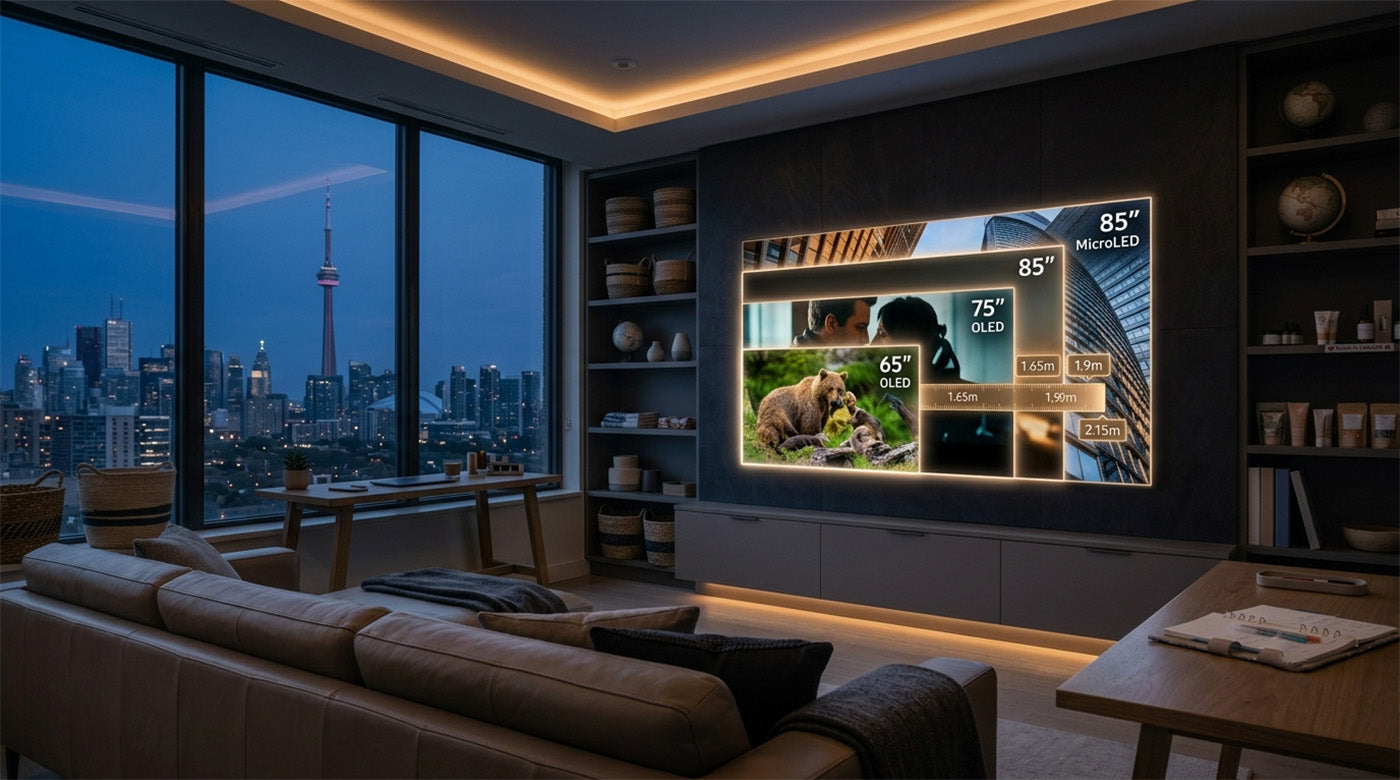
Aspect ratio adds a second dimension to the planning. Standard TVs use a 16:9 ratio, which drives all of the width and height figures in this guide. Widescreen CinemaScope displays use a 21:9 ratio, which is approximately 7–8% wider at the same diagonal.1 At 75”, that is about 5 extra inches of wall width. At 102” and above, the gap exceeds 6 inches. Buyers planning for 100”+ screens are outside the range standard TV dimension charts cover. At that scale, modular MicroLED display systems replace single-panel televisions entirely, with different dimensional math, weight distribution, and mounting requirements.
Screen Area and Width Increase by Size (16:9)
| Screen Size | Screen Width (in) | Screen Height (in) | Screen Area (sq in) | Area Increase vs. Prior Size |
|---|---|---|---|---|
| 32" | 27.9"1 | 15.7"1 | 438 sq in1 | Baseline |
| 43" | 37.5"1 | 21.1"1 | 791 sq in1 | +81%1 |
| 50" | 43.6"1 | 24.5"1 | 1,068 sq in1 | +35%1 |
| 55" | 47.9"1 | 27.0"1 | 1,293 sq in1 | +21%1 |
| 65" | 56.7"1 | 31.9"1 | 1,809 sq in1 | +40%1 |
| 75" | 65.4"1 | 36.8"1 | 2,407 sq in1 | +33%1 |
| 85" | 74.1"1 | 41.7"1 | 3,090 sq in1 | +28%1 |
Screen area calculated as width × height from verified screen dimensions.1
Key takeaways:
- Jumping from 55” to 65” adds 40% more screen area despite feeling like only a 10-inch change, because both width and height grow simultaneously.1
- The biggest proportional jump is 32” to 43”: screen area nearly doubles (+81%).1
- From 65” to 75” adds 33% more screen area and roughly 9 more inches of width, enough to require a different room layout in smaller spaces.1
16:9 vs. 21:9 Width Comparison at Select Sizes
| Screen Size | 16:9 Width (in) | 21:9 Width (in) | Width Difference |
|---|---|---|---|
| 75" | 65.4"1 | ~70.3"1 | +4.9" |
| 102" | ~88.8"1 | ~95.5" | +6.7" |
| 129" | ~112.3"1 | ~120.8" | +8.5" |
Key takeaways:
- A 21:9 display at the same diagonal is approximately 7–8% wider than a 16:9 equivalent; at 102”+, that difference exceeds 6 inches of additional wall width.1
- Native 21:9 eliminates letterboxing on CinemaScope content but requires planning for the additional wall footprint before purchase.
Weight by Screen Size
TV weight scales with screen size but not as dramatically as buyers often expect. At 65”, a standard LED or QLED model lands in the 45–60 lb range without the stand.4 Panel technology has a modest effect on weight: LED, QLED, and OLED models at 65” tend to cluster within a 10–15 lb range of each other, with OLED running slightly lighter due to the absence of a backlight assembly.4 For wall mount selection, weight rating is more important than size rating. A mount rated for “up to 65”” may not support the actual weight of a specific 65” model; always verify the mount’s maximum weight capacity against the TV’s stated weight in the spec sheet.
MicroLED display systems are a different category entirely. Modular Chip-on-Board (CoB) MicroLED panels use aluminum alloy cabinet construction and stack across multiple modules to reach large screen sizes, which places them well outside single-panel weight ranges. The AWALL C-Series 135”, for reference, weighs 341 lbs. Planning for a 100”+ MicroLED installation requires structural wall assessment and professional installation, not a standard wall mount kit. The weight and mounting figures in the table below apply to traditional single-panel TVs only.
Average TV Weight by Screen Size
| Screen Size | Avg Weight Without Stand (lbs) | Avg Weight With Stand (lbs) | Typical VESA Pattern | Recommended Mount Class |
|---|---|---|---|---|
| 32" | 8–12 lbs4 | 10–14 lbs4 | 100×100 or 200×2003 | Small fixed |
| 43" | 15–20 lbs4 | 17–23 lbs4 | 200×200 or 200×3003 | Small/mid fixed or tilt |
| 50" | 22–28 lbs4 | 25–32 lbs4 | 200×200 or 400×2003 | Mid tilt |
| 55" | 28–36 lbs4 | 32–40 lbs4 | 400×200 or 400×4003 | Mid full-motion |
| 65" | 45–60 lbs4 | 50–68 lbs4 | 400×400 or 600×4003 | Large tilt or full-motion |
| 75" | 65–80 lbs4 | 72–90 lbs4 | 400×400, 600×400, or 600×6003 | Large; 2+ stud anchoring required |
| 85" | 80–120 lbs4 | 90–135 lbs4 | 600×400, 800×400, or 800×6003 | Heavy-duty; backer plate required |
Key takeaways:
- At 65” and above, TVs routinely exceed 50 lbs without a stand; always verify the mount’s weight rating exceeds the TV’s weight, not just the size rating.4
- VESA patterns are not standardized by screen size alone; two 65” TVs from different brands can have different patterns, so always check the spec sheet before ordering a mount.3
- At 85”+, a backer plate spanning multiple studs is required, as the drywall anchor load at that weight exceeds what standard single-stud mounting can safely support.4
Average Weight by Panel Type at 65"
| Panel Type | Avg Weight Without Stand (lbs) | Notes |
|---|---|---|
| LED/LCD | 42–52 lbs4 | Most common; backlight layer adds bulk |
| QLED | 44–55 lbs4 | Quantum dot layer adds minimal additional weight |
| OLED | 40–50 lbs4 | No backlight; marginally thinner and lighter |
| MicroLED (75”+ only) | Varies by module count | Modular; not directly comparable to single-panel |
Note: AWALL C-Series 135” weighs 341 lbs. Modular aluminum alloy cabinet construction is a different weight paradigm than single-panel TVs.
Key takeaways:
- Weight differences between LED, QLED, and OLED at 65” are modest, typically under 10 lbs, so panel type should not be a primary driver of mount selection at this size.4
- MicroLED systems above 100” are modular installations, not panel TVs; weight, mounting, and room-planning requirements are fundamentally different.
Recommended Viewing Distance
Resolution changes the math on how close you can comfortably sit. With a 1080p display, the recommendation is roughly 0.14 feet of distance per inch of diagonal screen size.2 For a 55” 1080p TV, that is about 7.7 feet minimum. With a 4K display, the formula tightens to 0.07 feet per inch,2 meaning a 55” 4K TV is comfortable at 3.9 feet. That is roughly half the distance, which means 4K enables a meaningfully larger screen in a smaller room without the viewing experience deteriorating. Buyers upgrading from 1080p to 4K while also upsizing their screen often find their room accommodates the new combination more comfortably than expected.
At the top of the size range, 1080p becomes a practical problem. An 85” display at 1080p has an ideal viewing distance above 19 feet,12 a room depth that exists in very few homes. Purchasing an 85” TV and planning to watch 1080p content from a standard living room distance means sitting well inside the minimum comfortable range, where individual pixels become visible. At 85”, 4K is not optional if you want the screen size to deliver on its promise. While some manufacturer guidelines (like LG's 0.07 rule) allow you to sit as close as 3.9 feet for a 55" screen, the table below uses the more conservative THX immersive standard (~36–40 degree field of view), which recommends sitting further back (~9.2 feet) to comfortably fill your field of vision.
MicroLED displays introduce a second variable: pixel pitch, which is the distance in millimeters between the centers of adjacent pixels. The smaller the pitch, the closer a viewer can sit before individual pixels become visible. The industry-standard method for calculating this is the 10x Rule: multiply pixel pitch in mm by 10 to get the minimum comfortable viewing distance in feet.7 AWALL's C-Series at 0.9mm pixel pitch yields a 9 ft minimum viewing distance; a 1.2mm configuration yields 12 ft.7 For context, most standard living rooms run 12–15 ft deep,1 meaning either AWALL configuration fits comfortably within a typical room.
Optimal Viewing Distance by Screen Size and Resolution
| Screen Size | Min Distance (4K) | Ideal Distance (4K) | Min Distance (1080p) | Ideal Distance (1080p) |
|---|---|---|---|---|
| 32" | 3.9 ft1 | 5.2 ft1 | 5.0 ft2 | 7.5 ft2 |
| 43" | 5.3 ft1 | 7.2 ft1 | 6.7 ft2 | 10.0 ft2 |
| 50" | 6.2 ft1 | 8.2 ft1 | 7.8 ft2 | 11.6 ft2 |
| 55" | 6.9 ft1 | 9.2 ft1 | 8.6 ft2 | 12.8 ft2 |
| 65" | 8.2 ft1 | 10.8 ft1 | 10.2 ft2 | 15.1 ft2 |
| 75" | 9.5 ft1 | 12.5 ft1 | 11.7 ft2 | 17.5 ft2 |
| 85" | 10.5 ft1 | 14.1 ft1 | 13.3 ft2 | 19.8 ft2 |
4K distances based on THX 36-degree immersive viewing standard.1 1080p distances based on LG’s formula of 0.14–0.25 ft per diagonal inch.2
Key takeaways:
- 4K resolution lets you sit roughly 35–40% closer than 1080p without seeing pixels, meaning a larger screen fits comfortably in a smaller room when paired with 4K content.12
- A 75” 4K TV has an ideal viewing distance of 12.5 ft; most standard living rooms (12–15 ft deep) accommodate this without the TV dominating the space.1
- At 85” and 1080p, the ideal distance exceeds 19 ft, a room depth that makes 1080p content an unsatisfying experience at that size.12
Minimum Room Depth by Screen Size
| Screen Size | Min Room Depth for 4K | Min Room Depth for 1080p |
|---|---|---|
| 32" | 6 ft1 | 7 ft2 |
| 43" | 7 ft1 | 9 ft2 |
| 55" | 9 ft1 | 12 ft2 |
| 65" | 10 ft1 | 14 ft2 |
| 75" | 12 ft1 | 16 ft2 |
| 85" | 13 ft1 | 18 ft2 |
Key takeaways:
- A 65” 4K TV is viable in a 10-ft-deep room, roughly the depth of a mid-size bedroom.1
- Rooms under 10 ft deep are better suited for 55” and smaller displays, regardless of resolution.1
Mounting and Fit
VESA (Video Electronics Standards Association) defines the spacing between the four mounting holes on the back of a TV, measured in millimeters, expressed as horizontal × vertical (for example, 400×400).3 A wall mount must match the TV’s VESA pattern exactly; if the bolt spacing does not align, the mount cannot attach. The critical thing to understand is that VESA pattern does not follow directly from screen size. Two 65” TVs from different manufacturers can have entirely different patterns.3 Always pull the spec sheet for the specific model before purchasing a mount. The table below lists the most common patterns by size class, but confirms nothing about any specific model.
Wall space requirements are a separate calculation from screen size. Physical cabinet width, which is the screen plus the bezel on both sides, is the number that defines how much wall the TV occupies. A 75” TV with a physical cabinet width of roughly 67” requires at least 72” of clear wall when safety clearance is factored in.6 At 85”, wall requirements approach 80”, which is wider than many standard walls between windows, doors, and architectural features. Measure the actual clear wall space before deciding on a size, particularly at 75” and above. For media console placement, the same logic applies in a different dimension: the console must be wide enough to support the TV’s physical width safely, and tall enough to position the screen center at seated eye level without straining the neck upward.5
VESA Mount Pattern and Wall Space by Screen Size
| Screen Size | Common VESA Pattern(s) | Min Wall Width | Min Wall Height |
|---|---|---|---|
| 32" | 100×100 or 200×2003 | ~32"6 | ~22"6 |
| 43" | 200×200 or 200×3003 | ~44"6 | ~27"6 |
| 50" | 200×200 or 400×2003 | ~50"6 | ~31"6 |
| 55" | 400×200 or 400×4003 | ~55"6 | ~33"6 |
| 65" | 400×400 or 600×4003 | ~63"6 | ~38"6 |
| 75" | 400×400, 600×400, or 600×6003 | ~72"6 | ~43"6 |
| 85" | 600×400, 800×400, or 800×6003 | ~79"6 | ~48"6 |
Wall space figures are physical cabinet width plus 2–3 inches clearance on each side, with minimum height based on screen height plus bracket clearance.6
Key takeaways:
- VESA patterns are not reliably predictable by screen size; two TVs of the same diagonal can have entirely different patterns, so always confirm on the spec sheet before purchasing a mount.3
- A 75” TV requires roughly 6 feet of clear wall width, accounting for the physical cabinet plus minimum safe clearance on each side.6
- At 85”+, wall space requirements approach 80 inches wide, which rules out placement on most standard walls without removing adjacent furniture or fixtures.6
Stand Width vs. Media Console Fit
| Screen Size | TV Physical Width (in) | Min Console Width (in) | Max Console Height for Eye-Level Viewing (in) |
|---|---|---|---|
| 32" | ~28.5"1 | ~31"5 | ~26"5 |
| 43" | ~38–39"1 | ~41"5 | ~26"5 |
| 55" | ~48–49"1 | ~52"5 | ~26"5 |
| 65" | ~57–59"1 | ~62"5 | ~26"5 |
| 75" | ~66–67"1 | ~71"5 | ~26"5 |
| 85" | ~74–76"1 | ~79"5 | ~26"5 |
Key takeaways:
- Most standard media consoles run 58–65” wide, meaning they comfortably fit up to a 65” TV but fall short for 75” and larger displays.5
- Console height matters as much as width: a stand that places the screen center above 42” from the floor causes neck strain during extended viewing.5
- TV stand feet are not always positioned at the outer edges; measure the foot-to-foot span on the specific model, not the physical cabinet width, before buying a console.5
Average TV Dimensions by Screen Size: Choosing the Right Size for Your Space
The most reliable way to choose a TV size is to start with your room, not the showroom floor. Measure the distance from your seating position to the wall where the TV will go. For an immersive 4K experience based on our guide, multiply your seating distance in feet by 6 to find a great target screen size (e.g., a 12-foot distance points to roughly a 72" to 75" screen). Work from that number outward, then check whether the physical cabinet width fits your wall, whether the weight class matches your mount, and whether the stand height puts the screen center at eye level if you are not mounting it. Three of those four checks involve physical dimensions that the advertised screen size does not communicate on its own.
The three constraints that most often catch buyers after delivery are wall width (the TV is wider than the space), console fit (the stand feet overhang the surface), and mount weight rating (the bracket is sized for the screen diagonal, not the actual weight). All three are solvable before purchase with a tape measure and a spec sheet. The data in this guide covers the full range of standard consumer TV sizes from 32” through 85”, which accounts for the overwhelming majority of home purchases.
Buyers planning for 100” and above are working outside the range standard TV dimension charts cover. At that scale, modular MicroLED display systems replace single-panel televisions, with different dimensional math, weight distribution per module, and installation requirements that involve structural wall assessment rather than standard mounting. AWALL’s Chip-on-Board (CoB) MicroLED display systems, recognized by InfoComm and CEDIA as Best of Show 2025, start at 102” and scale to 300”+. Sizing and planning resources for that range are available at awall.com.
References
1. Viewing Distance Calculator, “TV Dimensions Chart.” https://viewingdistancecalculator.com/tv-dimensions-chart/ (2026)
2. LG USA, “How to Measure a TV: TV Size Guide.” https://www.lg.com/us/experience/how-to-measure-and-read-tv-sizes
3. NYC TV Guy, “VESA Mounting Pattern Guide.” https://nyctvguy.com/blog/vesa-mounting-pattern-guide (April 2026)
4. Express Mounting, “What Size TV Can You Wall Mount?” https://expressmounting.com/blog/what-size-tv-mount-on-wall/ (March 2025)
5. Homebaa, “TV Stand Size Guide.” https://www.homebaa.com/blogs/furniture/tv-stand-size-guide (January 2026)
6. Dimensionschart.com, “TV Dimensions Chart: 2026.” https://dimensionschart.com/tv-dimensions-chart/ (February 2026)
7. Christie Digital, "How to Choose the Right Pixel Pitch for Your LED Wall." https://www.christiedigital.com/spotlight/how-to-choose-the-right-pixel-pitch/ (March 2026)



Leave a comment
This site is protected by hCaptcha and the hCaptcha Privacy Policy and Terms of Service apply.