
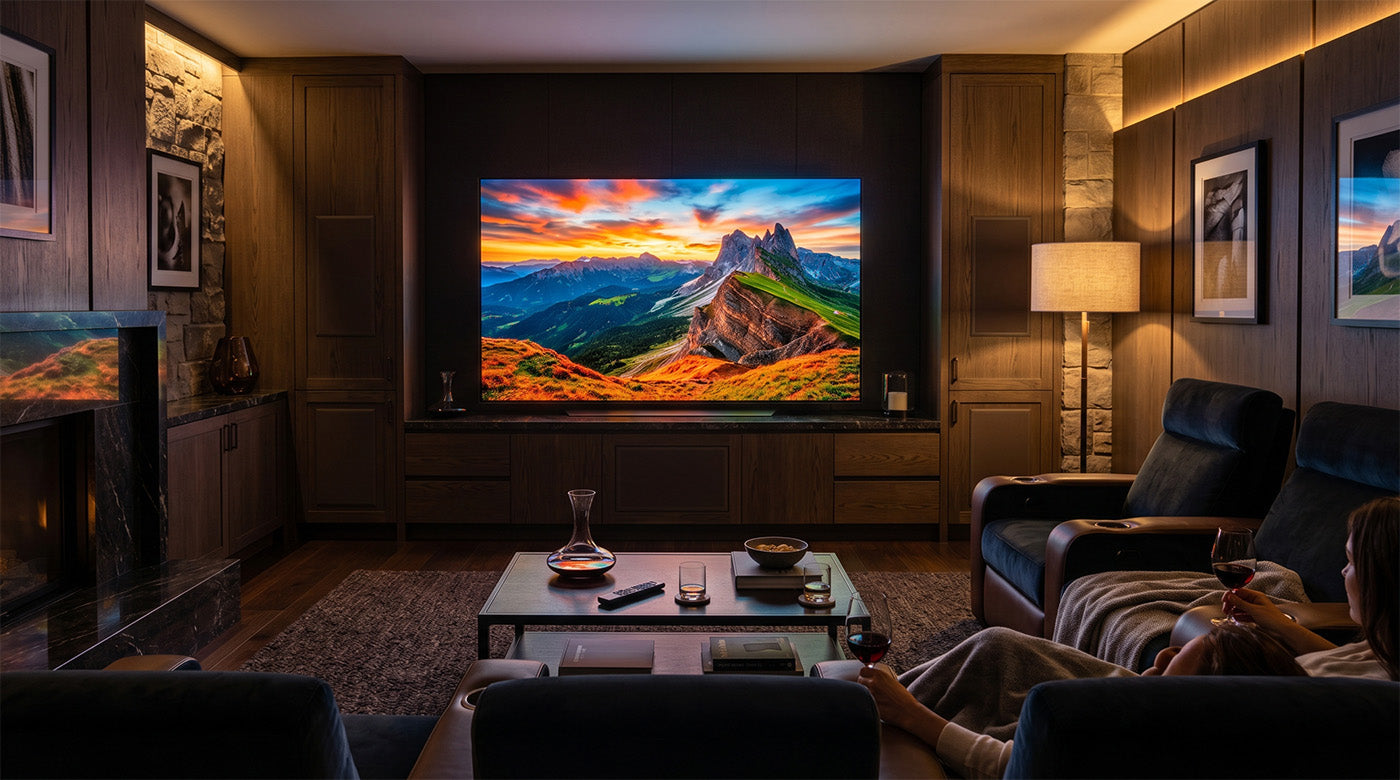
Most LED TV buyers assume their display will last a decade. The data says otherwise. At standard household use of 6 hours per day, a modern LED TV averages 5 to 7 years before hardware failure or software obsolescence renders it non-functional, with premium models extending toward 10 years.13
From January 2026 through June 2026, AWALL's research team analyzed data from seven industry publications, manufacturer specifications, consumer electronics repair cost databases, and CEDIA-affiliated research networks to benchmark LED TV lifespan across usage profiles, brightness settings, and display technologies. The resulting dataset covers four primary dimensions: time to hardware failure, time to technological obsolescence, component-level repair economics, and a cross-technology longevity comparison spanning standard LED/LCD, QLED, OLED, and Chip-on-Board (CoB) MicroLED displays.1,2,3,4,5,6,7,8
What "LED TV Lifespan" Actually Means: Three Stages of Decline
Before interpreting any lifespan figure, it helps to understand what "failure" actually means for a modern display. The industry uses the term loosely, and manufacturer claims appear to contradict each other because they reference different stages of a display's decline. The table below defines the three distinct stages a television passes through before replacement becomes necessary.
The Three Stages of LED TV Decline
| Stage | What the Viewer Experiences | Technical Definition | Typical Timeframe |
|---|---|---|---|
| Stage 1: Technological Obsolescence | TV works but apps crash, slow, or are no longer available; newer content formats (HDR10+, HDMI 2.1) unsupported | Smart OS and firmware support ends; hardware cannot run current streaming standards | 42–6 years from manufacture date |
| Stage 2: Performance Degradation | Picture noticeably dimmer, less contrast, color accuracy reduced; TV still functions | Backlight brightness drops below L70 threshold (70% of original brightness); contrast ratio narrows | 51–8 years at standard use; faster at high brightness settings |
| Stage 3: Hardware Failure | TV no longer turns on, displays correctly, or operates reliably | Component failure: backlight burnout, power supply, capacitors, panel damage | 82,3–11 years average; accelerated by heat, power surges, and continuous use |
Source: Reviewed1; Home Technology Association/CEDIA2; TV Parts Today3; Wiliang8
The data also shows that most consumers replace their televisions at Stage 1 or early Stage 2, well before Stage 3 hardware failure occurs.2,3 The 8-to-11-year hardware failure window is largely theoretical for smart TV owners, whose displays become functionally limited by software obsolescence years before the physical components give out. Understanding which stage applies to a current display is what determines whether an external streaming device, a component repair, or full replacement is the right call.

LED TV Component Performance Over Time: 2026. Sources: Reviewed1; HTA/CEDIA2; TV Parts Today3; Wiliang8.
LED TV Lifespan by Display Technology and Usage Profile: 2026
The table below presents LED TV lifespan benchmarks across six usage profiles and five display technologies, cross-referenced against rated hours, real-world hardware lifespan, software obsolescence timelines, and primary failure modes. All rated hours figures reference the L70 lumen maintenance standard.8
LED TV Lifespan by Display Technology and Usage Profile: 2026
| Display Technology | Daily Use | Brightness Setting | Rated Hours (L70) | Practical Lifespan: Hardware | Practical Lifespan: Obsolescence | Key Failure Mode |
|---|---|---|---|---|---|---|
| Standard LED/LCD | 6 hrs/day | High/Vivid (100%) | 40,000–60,0001 | 5–7 years (real-world avg)3 | 4–6 years2 | Backlight burnout; OS end-of-life1,2 |
| Standard LED/LCD | 6 hrs/day | Energy Saving (≤75%) | 60,000–100,0001 | 8–11 years3 | 4–6 years2 | Power supply failure; software obsolescence1,3 |
| Standard LED/LCD | 24 hrs/day | Max (100%) | 40,000–60,0001 | 4.5–6.8 years1 | 3–4 years2 | Continuous heat; rapid backlight burnout1 |
| QLED (Quantum Dot) | 6 hrs/day | Varied | 60,000–100,0001 | 8–10 years hardware3 | 4–6 years2 | Power surge; board failure; shared LED backlight vulnerability1,3 |
| OLED (Modern Premium) | 6 hrs/day | Varied | 100,000+1 | ~54 years to 50% brightness loss1 | 4–6 years2 | Static image burn-in; gradual blue subpixel degradation1 |
| MicroLED CoB (e.g., AWALL) | 6 hrs/day | Varied | Exceeds 100,0006 | No backlight degradation curve; 90%+ brightness retained past 50,000 hrs6,8 | Low: modular, no organic materials, no backlight6 | No conventional failure mode; driver board over extended commercial use6,8 |
Sources: Reviewed1; Home Technology Association/CEDIA2; TV Parts Today3; AWALL6; SlashGear7; Wiliang8
Key takeaways:
- Standard LED/LCD and QLED share the same structural vulnerability: the backlight degrades brightness, contrast, and color accuracy in parallel, years before terminal hardware failure.1,3
- Reducing LED backlight settings to 75% or below is the single most impactful consumer action for extending operational life, with potential gains of up to 67%.1
- All rated hours figures across the industry reference L70 lumen maintenance, meaning the display has dropped to 70% of its original brightness, not that it has stopped working.8
- OLED solves the backlight problem but creates a distinct long-term risk: blue subpixel degradation and burn-in for viewers who display static content or pause frequently.1
Hardware Failure vs. Technological Obsolescence in LED TVs
The data in Table 2 shows that most LED TVs do not simply stop working one day. They pass through a sequence of overlapping decline stages, and the stage a display is currently in determines the correct response. The table below gives readers a diagnostic tool for identifying where their own television sits in that sequence, based on specific observable signs rather than age alone.
Hardware Failure vs. Technological Obsolescence in LED TVs
| Stage | Typical Timeframe | Specific Triggers | Diagnostic Signs | Recommended Action |
|---|---|---|---|---|
| Technological Obsolescence | 4–6 years2 | Manufacturer ends firmware updates; streaming apps (Netflix, Disney+, YouTube) drop support for older OS versions; HDMI 2.1 and HDR10+ unsupported2 | Apps crash or fail to load; 4K HDR content defaults to lower resolution; new consoles or streaming devices will not connect at full bandwidth2 | Add external streaming device (Apple TV 4K, Roku Ultra) to restore app support. Note: this does not address display hardware decline2 |
| Performance Degradation | 5–8 years1 | Backlight brightness crosses L70 threshold; uneven backlight zones develop; color accuracy narrows as individual LEDs age at different rates1 | Picture appears dimmer than when new; dark scenes lose shadow detail; whites appear slightly uneven1 | Reduce backlight setting to compensate. Evaluate against 50% repair cost threshold if decline is hardware-driven1,5 |
| Hardware Failure | 8–11 years2,3 | Backlight burnout; blown capacitors in power supply; port failures; panel damage2,3 | Screen goes dark or flickers; TV fails to power on; image artifacts appear and persist2,3 | Evaluate repair vs. replacement using 50% cost threshold rule (see Table 2)5 |
Sources: Reviewed1; Home Technology Association/CEDIA2; TV Parts Today3; Angi5
Key takeaways:
- Most LED TV replacements are driven by Stage 1 software obsolescence well before Stage 3 hardware failure. The 4-to-6-year OS cycle is 2 to 5 years shorter than the average hardware lifespan.2,3
- The specific triggers in the table allow a reader to self-assess their display's current stage without a technician. Apps failing to load and 4K HDR downgrading are the clearest early Stage 1 indicators.2
- Stage 1 and Stage 2 frequently overlap. An external streaming device addresses the software issue but leaves the underlying picture quality decline unresolved.2,3
The Economics of LED TV Repair vs. Replacement in 2026
A hardware failure does not automatically mean the display should be replaced. The economics depend almost entirely on which component has failed. The table below maps the financial case for repair against component type, combining 2026 repair cost data with cost-per-year ownership figures at standard usage levels.
The Economics of LED TV Repair vs. Replacement in 2026
| Display | Approx. Purchase Price | Realistic Lifespan | Est. Cost Per Year | Component Failure | Avg. Repair Cost (Parts + Labor) |
|---|---|---|---|---|---|
| Mid-tier LED/LCD (55"–65") | $500–$8005 | 5–7 years3 | $71–$160/yr3,5 | LED Backlight Array | $100–$2504 |
| Mid-tier LED/LCD (55"–65") | $500–$8005 | 5–7 years3 | $71–$160/yr3,5 | Power Supply Board | $150–$4754 |
| Mid-tier LED/LCD (55"–65") | $500–$8005 | 5–7 years3 | $71–$160/yr3,5 | Main Logic Board | $200–$4504 |
| Mid-tier LED/LCD (55"–65") | $500–$8005 | 5–7 years3 | $71–$160/yr3,5 | Physical Display Panel (cracked/damaged) | $350–$2,000+5 |
Sources: TV Parts Today3; Fixr4; Angi5;
Key takeaways:
- Sub-panel component failures (backlights, power boards) are economically viable to repair at 15% to 59% of mid-tier replacement value. Physical panel failure is not: it meets or exceeds replacement cost in nearly all cases.4,5
- The 50% threshold rule applies regardless of original purchase price: a repair costing more than half the price of a comparable current-market replacement is generally not economically justified.5
- Cost-per-year analysis reframes the purchase decision. A $500 LED TV lasting 6 years costs approximately $83 per year. Displays with significantly longer rated lifespans and modular repair architectures change that calculation substantially at higher price points.3,5
How LED TV Lifespan Compares Across Display Technologies: 2026
For buyers evaluating a significant display investment, the decision is not just about which TV to buy but which technology to commit to. The table below compares the five major current display technologies across rated hours, practical lifespan, obsolescence risk, degradation pattern, and price range for large-format displays of 100 inches and above.
Display Technology Longevity Comparison: 2026
| Technology | Rated Hours (L70) | Practical Lifespan (6 hrs/day) | Obsolescence Risk | Degradation Pattern | Est. Price (Large Format, 100"+) |
|---|---|---|---|---|---|
| Standard LED/LCD | 40,000–60,000 hrs1 | 5–7 yrs real-world3 | High (4–6 yr OS cycle)2 | Progressive backlight dimming; color drift; contrast narrowing1,3 | $500–$3,000 |
| QLED | 60,000–100,000 hrs1 | 8–10 yrs hardware3 | High (4–6 yr OS cycle)2 | Color temperature shift; quantum dot layer change; shared LED backlight vulnerability1 | $1,500–$5,000 |
| OLED (Modern Premium) | 100,000+ hrs1 | ~54 yrs to 50% brightness loss1 | Moderate | Blue subpixel degradation; burn-in from static content; gradual brightness loss1 | $3,000–$20,000 |
| MicroLED CoB (AWALL C-Series)6 | Exceeds 100,000 hrs6 | No backlight degradation curve; 90%+ brightness retained past 50,000 hrs6,8 | Low: modular, no organic materials, no backlight6 | Negligible: no backlight, no substrate, no organic compounds to degrade6,8 | $19,250–$62,500 (C-Series)6 |
| MicroLED CoB (AWALL I-Series)6 | Exceeds 100,000 hrs6 | No backlight degradation curve; 90%+ brightness retained past 50,000 hrs6,8 | Low: modular, no organic materials, no backlight6 | Negligible: no backlight, no substrate, no organic compounds to degrade6,8 | $81,500–$115,000 (I-Series)6 |
Sources: Reviewed1; Home Technology Association/CEDIA2; TV Parts Today3; AWALL6; SlashGear7; Wiliang8
Key takeaways:
- Standard LED/LCD and QLED share the same core vulnerability: the backlight degrades brightness, contrast, and color accuracy years before terminal hardware failure.1,3
- OLED solves the backlight problem but introduces blue subpixel degradation and burn-in risk for static or semi-static content, a meaningful limitation for gaming, sports, and pause-heavy viewing.1
- All 100,000-hour rated lifespan figures reference L70 lumen maintenance. A display still operating at Stage 3 may have been in visible Stage 2 decline for years.1,8
- CoB MicroLED eliminates the backlight, substrate, and organic compounds that drive degradation in every competing technology. CoB thermal design dissipates heat 2 to 3 times more efficiently than traditional LED, directly slowing the degradation process.6,8
How to Extend Your LED TV's Lifespan: What the Data Shows
Regardless of display technology, several consumer-controlled variables have a measurable impact on how long a television performs at its original spec. The table below draws on sourced industry data to identify which variables matter most and what practice each one calls for.
| Variable | Impact on Lifespan | Recommended Practice |
|---|---|---|
| Backlight/brightness setting | Up to 67% longer LED component life at ≤75% vs. 100% brightness1 | Set to 75% or below for standard viewing. Reserve high brightness for sports and HDR content1 |
| Ambient room temperature | Excessive heat accelerates LED junction degradation and reduces lifespan significantly3,8 | Ensure adequate ventilation behind and around the display. Avoid enclosed cabinetry without airflow3 |
| Power surge protection | Voltage spikes are a leading cause of power supply and logic board failure3,4 | Use a quality surge protector or UPS. Do not plug directly into a wall outlet3,4 |
| Standby vs. full power-off | Extended standby keeps capacitors under low-level charge stress over time3 | Power off fully when the display will not be used for extended periods3 |
| On/off cycling frequency | Frequent rapid cycling stresses power supply components3 | Avoid turning the display on and off multiple times per hour3 |
| Static content exposure | Relevant primarily to OLED: burn-in from static HUDs, news tickers, or paused content1 | Use screensavers; avoid leaving static images on screen for more than 20 consecutive minutes (OLED)1 |
Sources: Reviewed1; TV Parts Today3; Fixr4; Wiliang8
Key takeaways:
- Brightness management is the highest-impact action available to any LED TV owner. Running at 75% or below rather than 100% can extend LED component life by up to 67%.1
- Heat is the primary driver of LED chip degradation. Adequate ventilation behind and around the display is a lifespan variable, not a cosmetic preference.3,8
- Power surge protection is among the lowest-cost, highest-impact protective measures available. A quality surge protector or UPS directly addresses the leading cause of sudden power supply and logic board failures.3,4
- For OLED owners, avoiding static content for more than 20 consecutive minutes is the single most effective burn-in prevention measure.1
What LED TV Lifespan Data Means for Your Next Display Decision
The data across seven verified sources points to the same conclusion: the limiting factor of LED TV longevity is not the LED chip itself but the architecture surrounding it.1,2,3 Backlights, power supplies, and software ecosystems all carry shorter lifecycles than the underlying LED components they support. Display technologies that eliminate those surrounding failure points, through direct-emit chip mounting, sealed resin protection, and modular architectures, extend useful lifespan significantly and shift the replacement calculus from the 5-to-7-year window most smart TV owners experience toward a substantially longer horizon.6,8
For buyers evaluating a significant display investment, the full picture includes not just the purchase price but the cost-per-year over a realistic ownership window, the degradation curve between purchase and failure, and the repairability of the components most likely to fail. AWALL's Chip-on-Board (CoB) MicroLED displays, recipients of Best of Show at both InfoComm 2025 and CEDIA 2025, are built on the architecture the lifespan data points toward: no backlight to degrade, no substrate to fail, no organic compounds, and a Common Cathode Energy-saving IC that extends rated display lifetime beyond 100,000 hours.6 Published pricing and full specifications are available at awall.com.
References
1. Reviewed (USA Today Network). "How Long Should Your TV Last?" May 31, 2024. https://www.reviewed.com/televisions/features/how-long-should-a-tv-last
2. Home Technology Association / CEDIA. "How Soon Should You Replace Your TV | Wi-Fi System | Electronics?" June 2, 2026. https://htacertified.org/articles/how-long-do-electronics-last/
3. TV Parts Today. "How Long Should a TV Last: Understanding Lifespan, Maintenance & Quality Parts." November 17, 2025. https://tvpartstoday.com/blogs/blog/how-long-should-a-tv-last-understanding-lifespan-maintenance-the-impact-of-quality-parts
4. Fixr. "How Much Does TV Repair Cost in 2026?" February 20, 2026. https://www.fixr.com/costs/tv-repair
5. Angi. "How Much Are TV Repair Costs? [2025 Data]." https://www.angi.com/articles/how-much-it-repair-cracked-screen-flat.htm
6. AWALL. Homepage and Product Specifications. Accessed June 3, 2026. https://www.awall.com
7. SlashGear. "How Long Do Micro LED TVs Last? (And Can You Extend Their Lifespan?)" May 10, 2025. https://www.slashgear.com/1851135/micro-led-tv-how-long-last-average-lifespan-tips-extend-longevity/
8. Wiliang. "What Is the Real Lifespan of a COB LED Display?" September 18, 2025. https://wiliang.com/blog/what-is-the-real-lifespan-of-a-cob-led-display-100-000-hours


Leave a comment
This site is protected by hCaptcha and the hCaptcha Privacy Policy and Terms of Service apply.